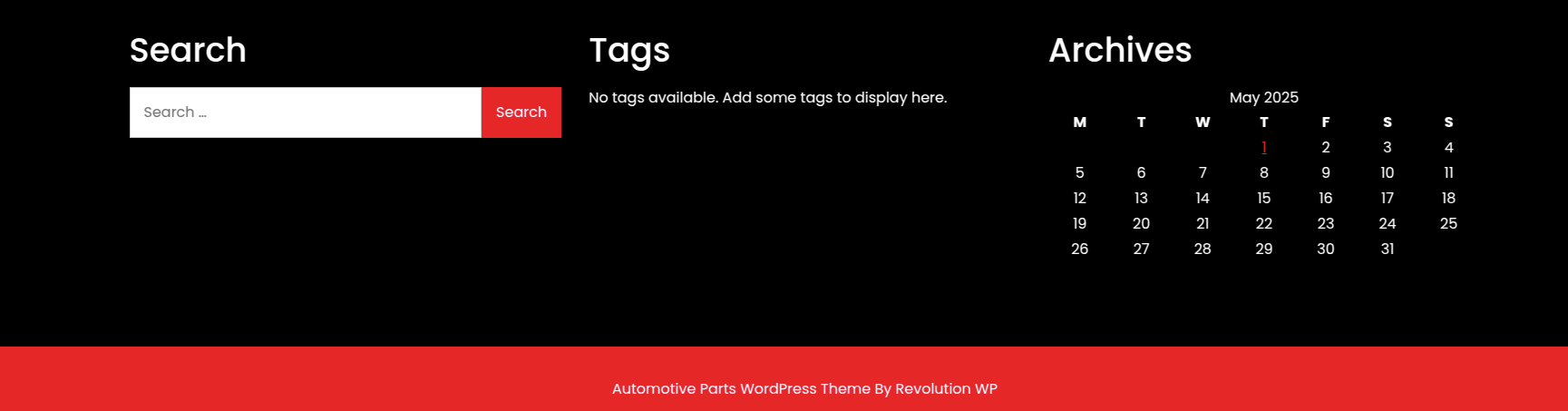




How are the templates installed?
Putting in a template installation is a fairly simple process to follow..
Step 1: A theme can be installed using WordPress Administrator by going through these procedures..
Start by accessing the WordPress admin panel.
Proceed to the Select "Appearance" by navigating to "Themes."
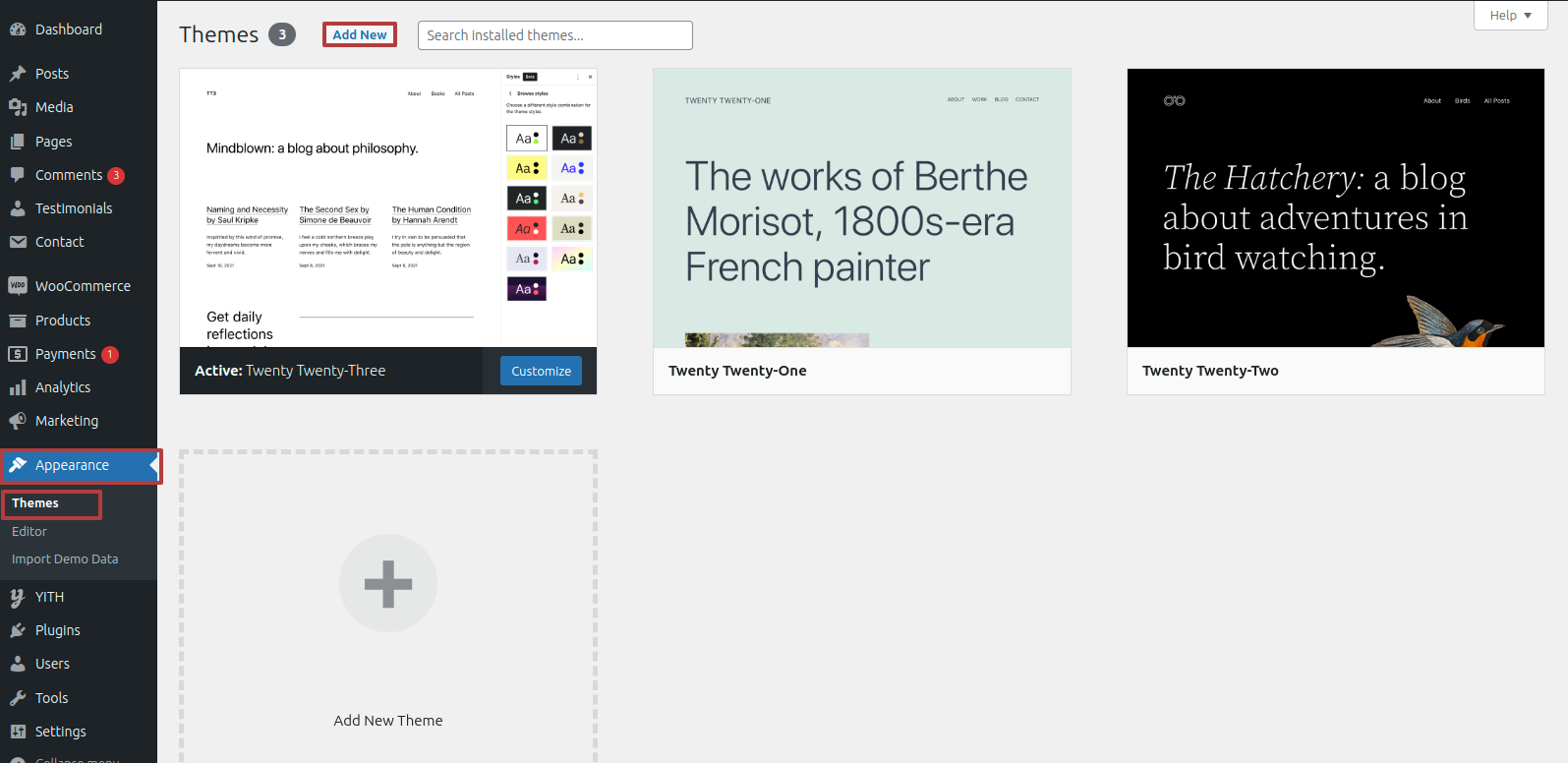
Tap "Add New" from the drop-down menu after you've reached the themes page.
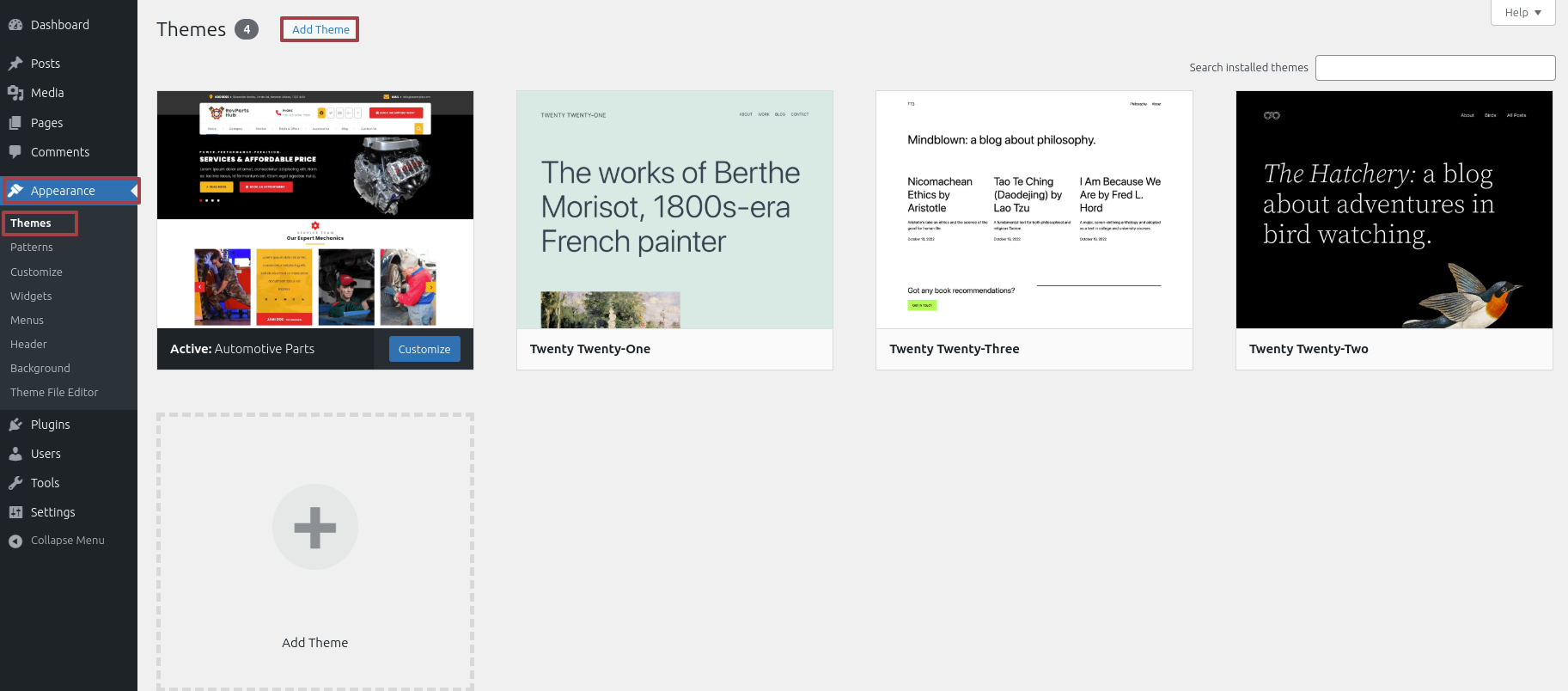
Clicking the "Upload Theme". button is necessary.
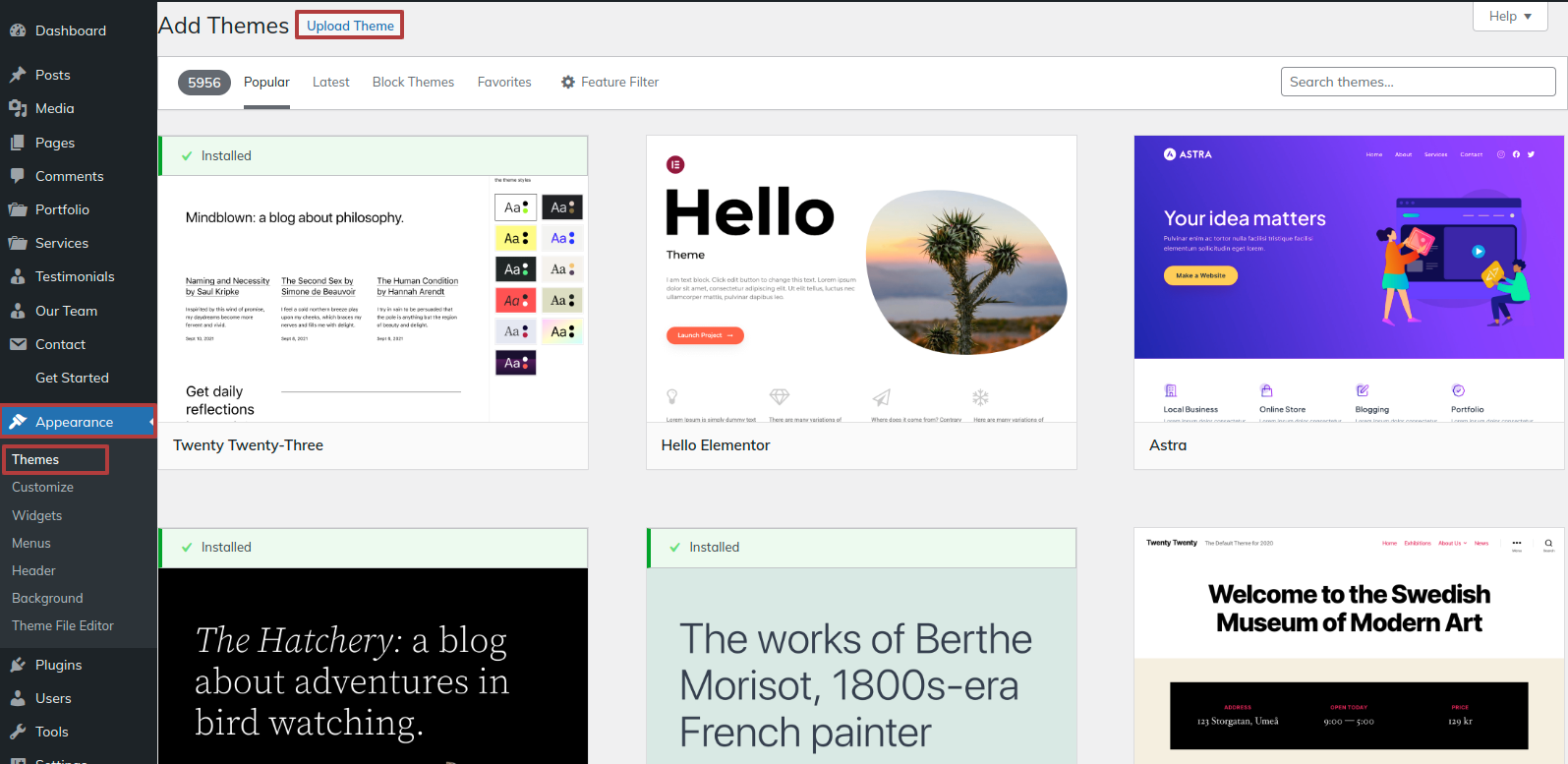
After choosing your preferred automotive-parts.zip theme,Pick the Browse tab. and click the Now Installing button.
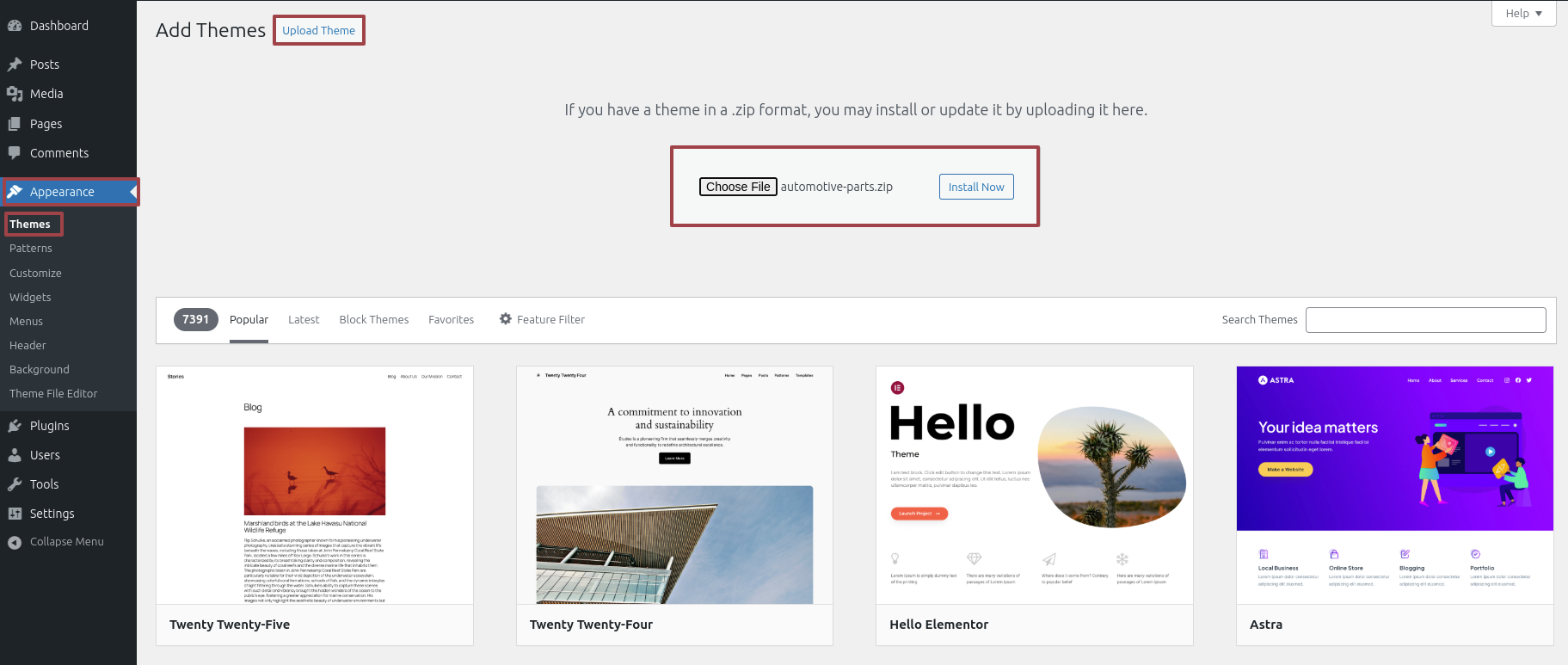
At this point, WordPress will install the theme of your choice and show a message of success offering options for activate or view a live preview of the theme.
How To Set Static Page
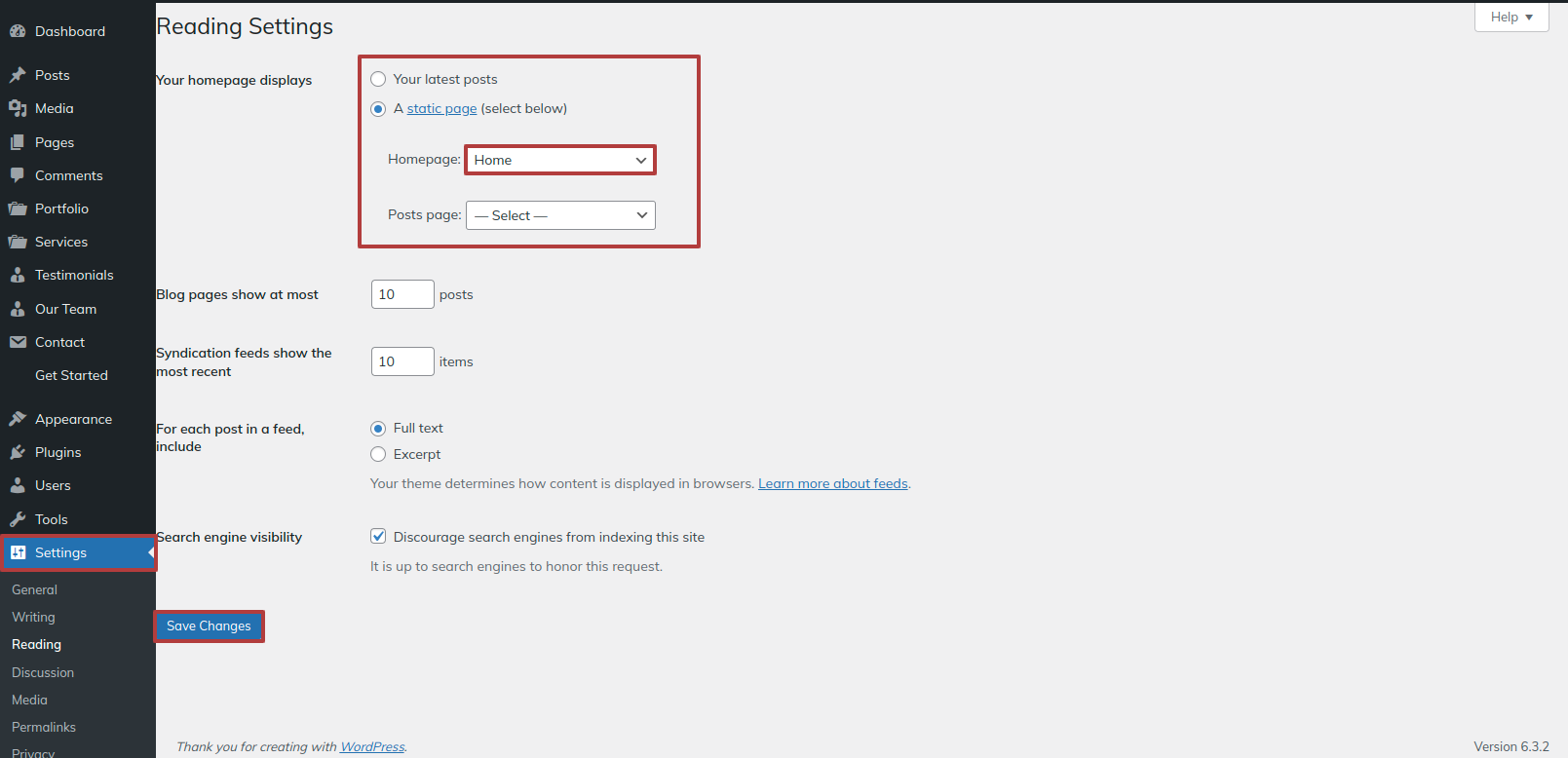
Either identify your home page as such or provide the name of your parent website. Next, modify the static template to the home page by selecting Reading from the settings menu.
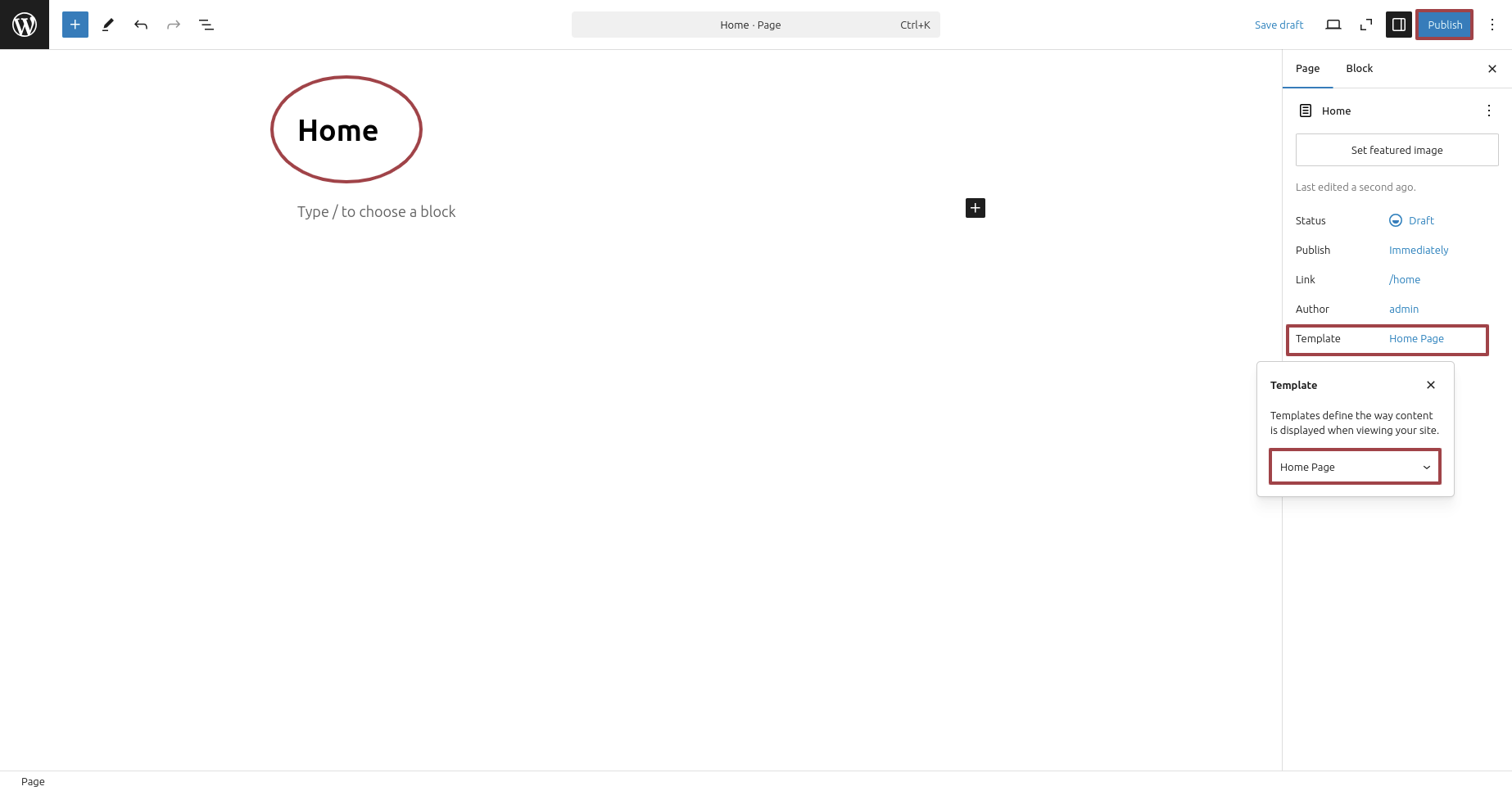
To establish a template, make a page.Navigate to the "Dashboard"'s Pages. I'd like a Home Page..
opt for the home page from the Template area after remove the Default Template one.
Choose the page you recently created to function as your homepage right now by selecting the Static Page option under Your Homepage Display setting.
Section on Developing The Demo Import
Regarding Demo Import Configuration.
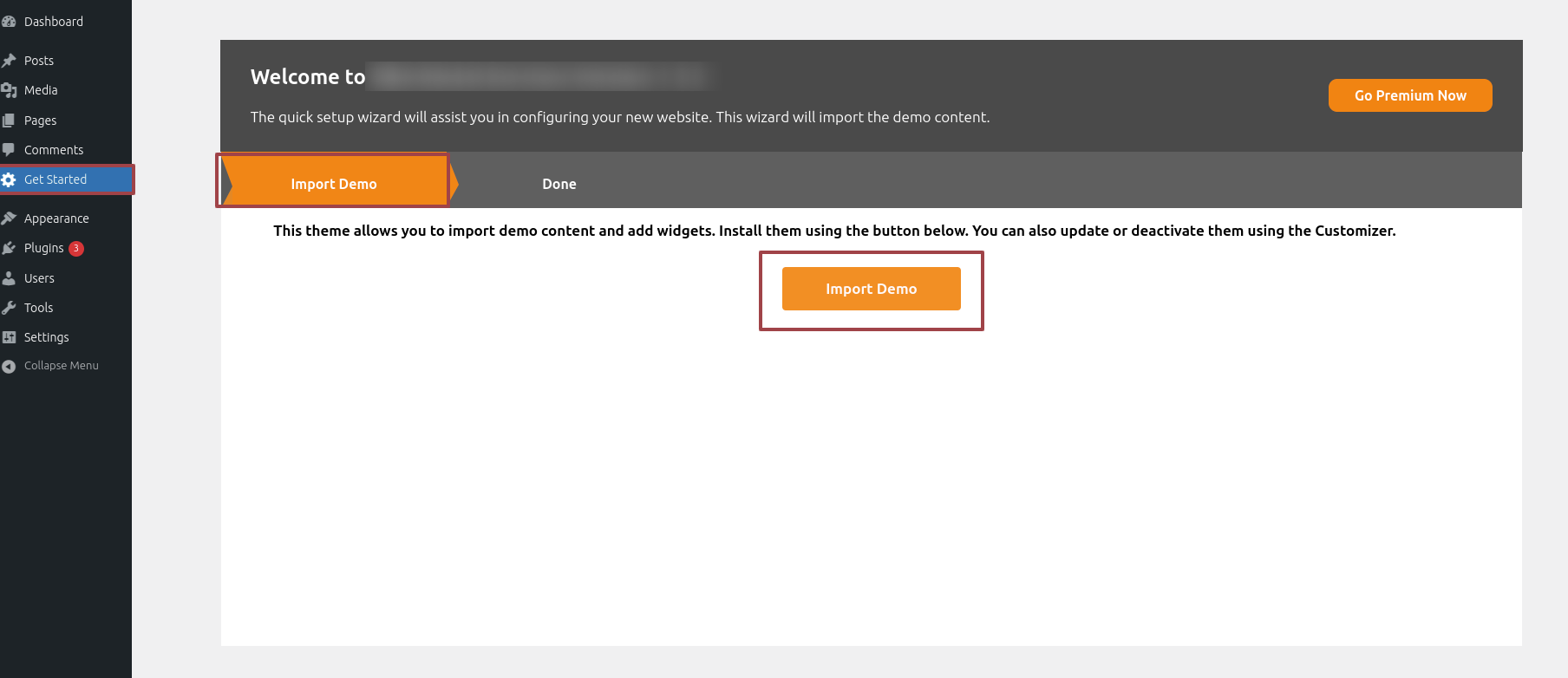
Establish your website rapidly by importing demo content with a single click. These sample pages provide a pre-designed structure and clear guidance, streamlining customization and effectively demonstrating theme capabilities for a swift and impactful website deployment.
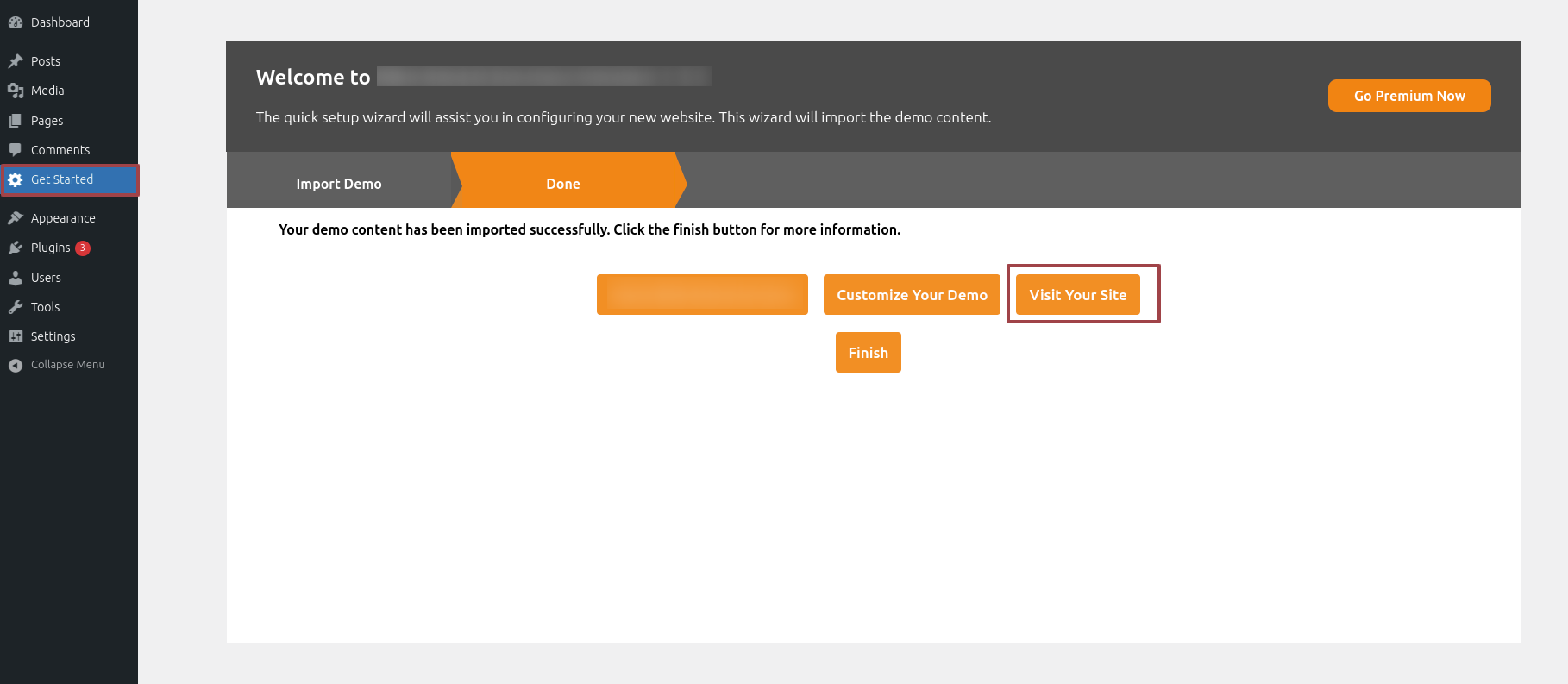
.1) To modify your theme options open"Dashboard" By going to "Get Started" Proceed to "Import Demo" .
.2)To modify your theme options open"Dashboard" By going to "Get Started" Proceed to "Visit Your Site" .
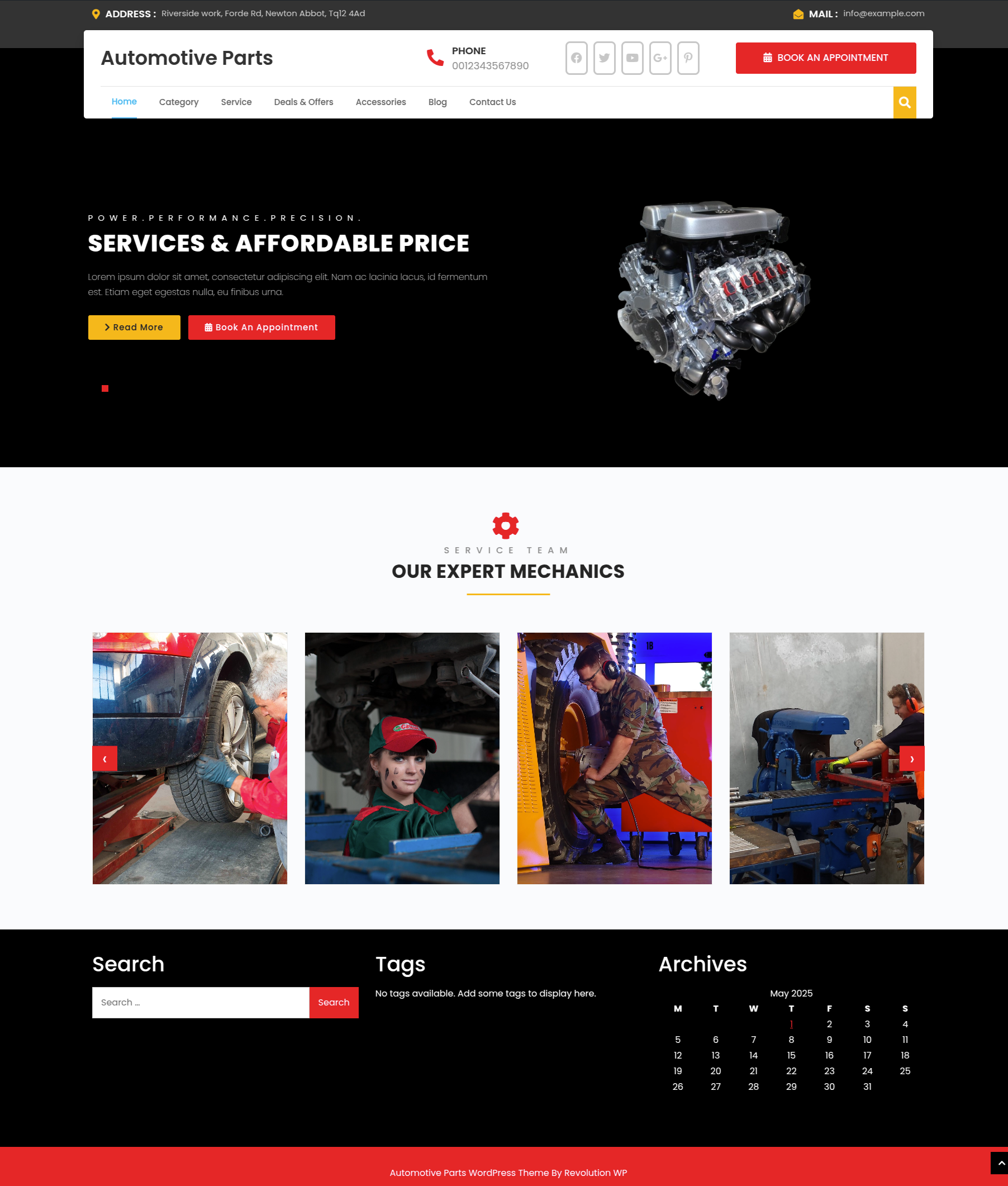
This is how the Front page will display it.
Section on Developing The Navigation
- Go to the Dashbord, choose Pages, and then click Add new page to start the process of creating a new page.
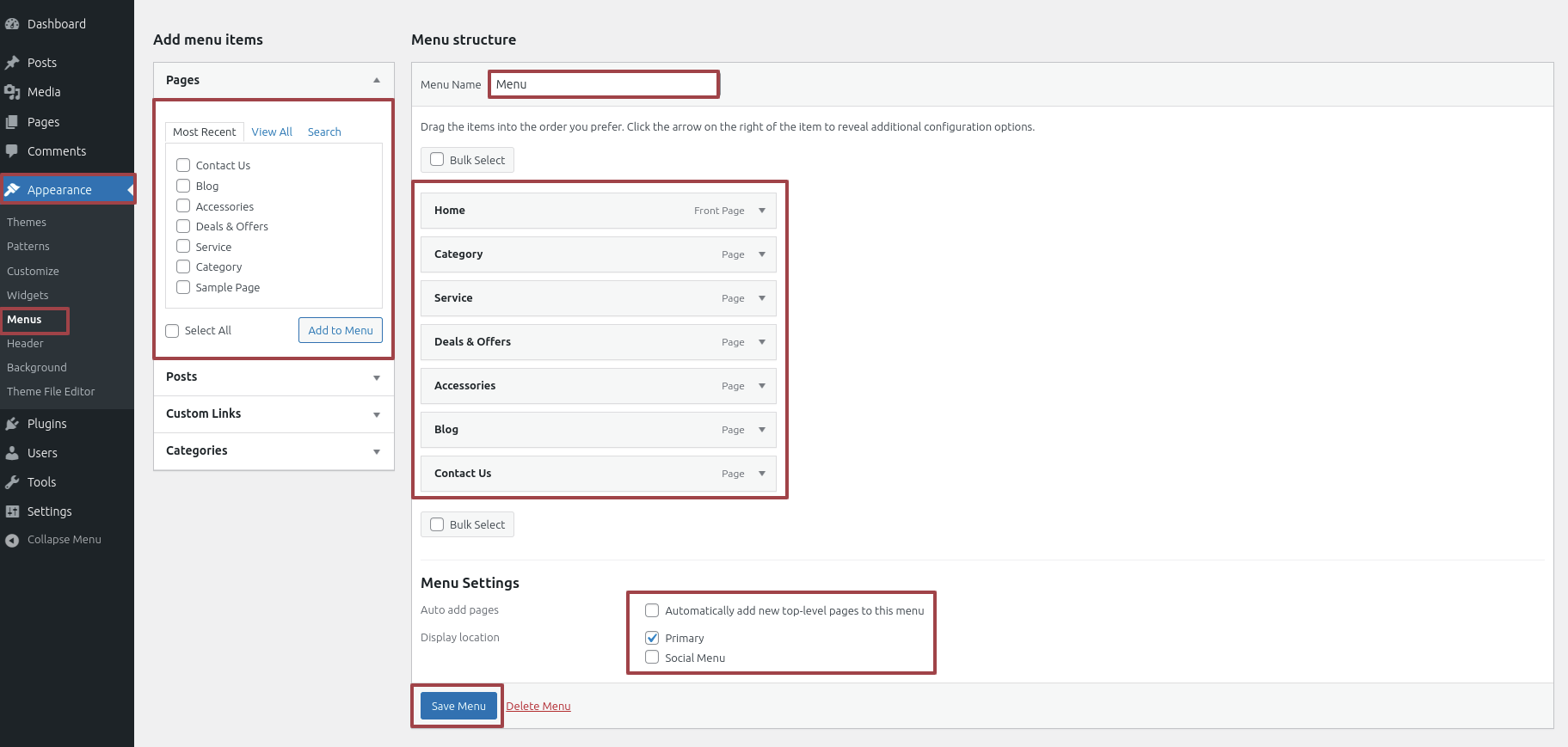
- Proceed to Appearance and select Menu
- By selecting New Menu, you can create a menu.
- Name the menu and press the Save button in the Menu Name column.
- Once the menu has been created, check the boxes next to the pages you wish to add. You must drag the necessary section to change the order of the sections.
- From the boxes with checks, choose the menu location on the footer.
- The Primary Menu checkbox causes Menu Stars to appear on the header if it is selected.
For a clearer understanding, view this screenshot.
Section on Developing The Site Identity
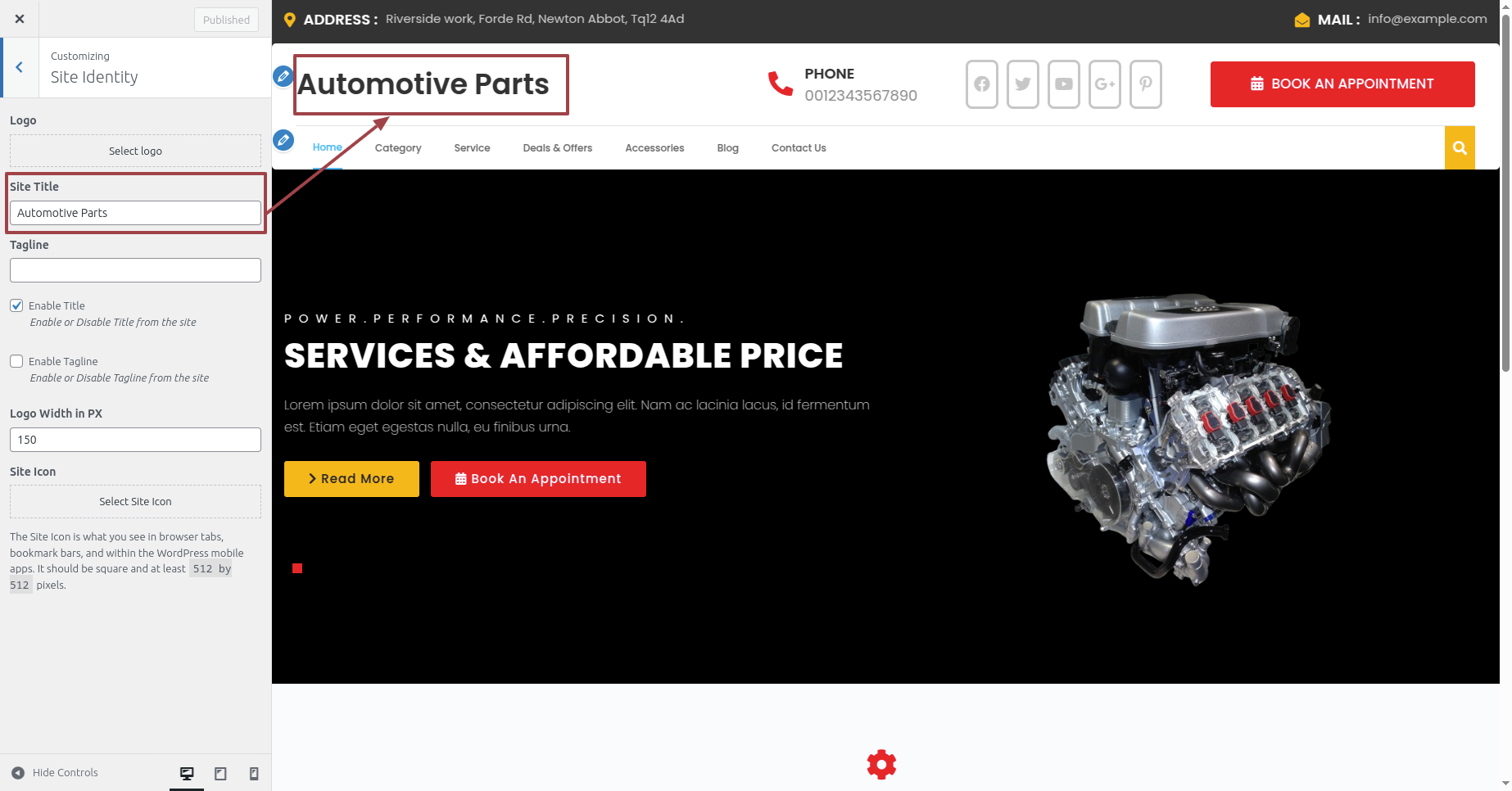
Putting the logo in the header.
To modify your theme options open"Appearance" By going to "Customize" Proceed to"Site Identity".
Section on Developing The Header Options
Regarding Header Options Configuration.
To modify your theme options open"Appearance" By going to "Customize" Head over to "Automotive Parts Theme options" Proceed to "Main Header Options" .
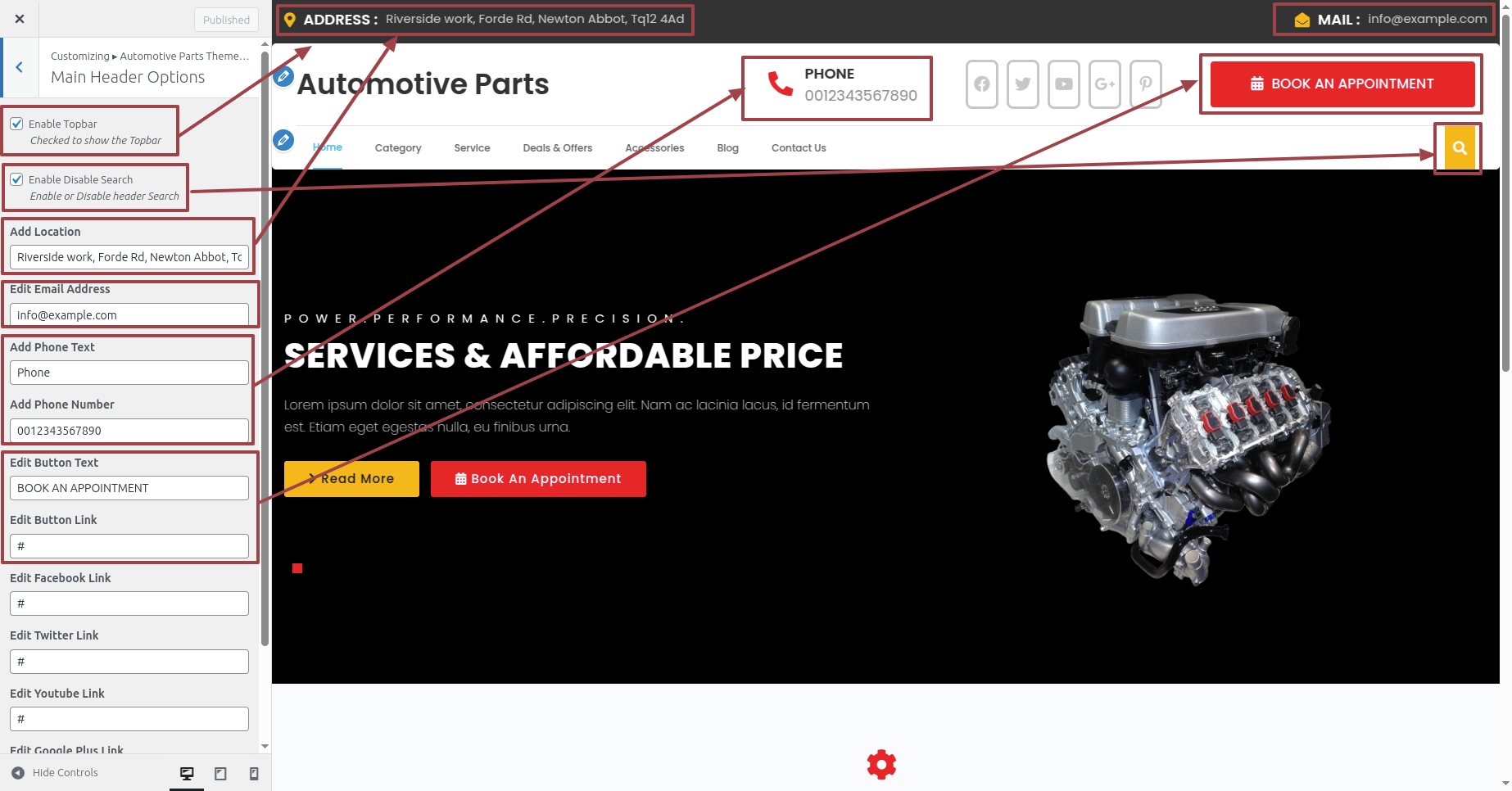
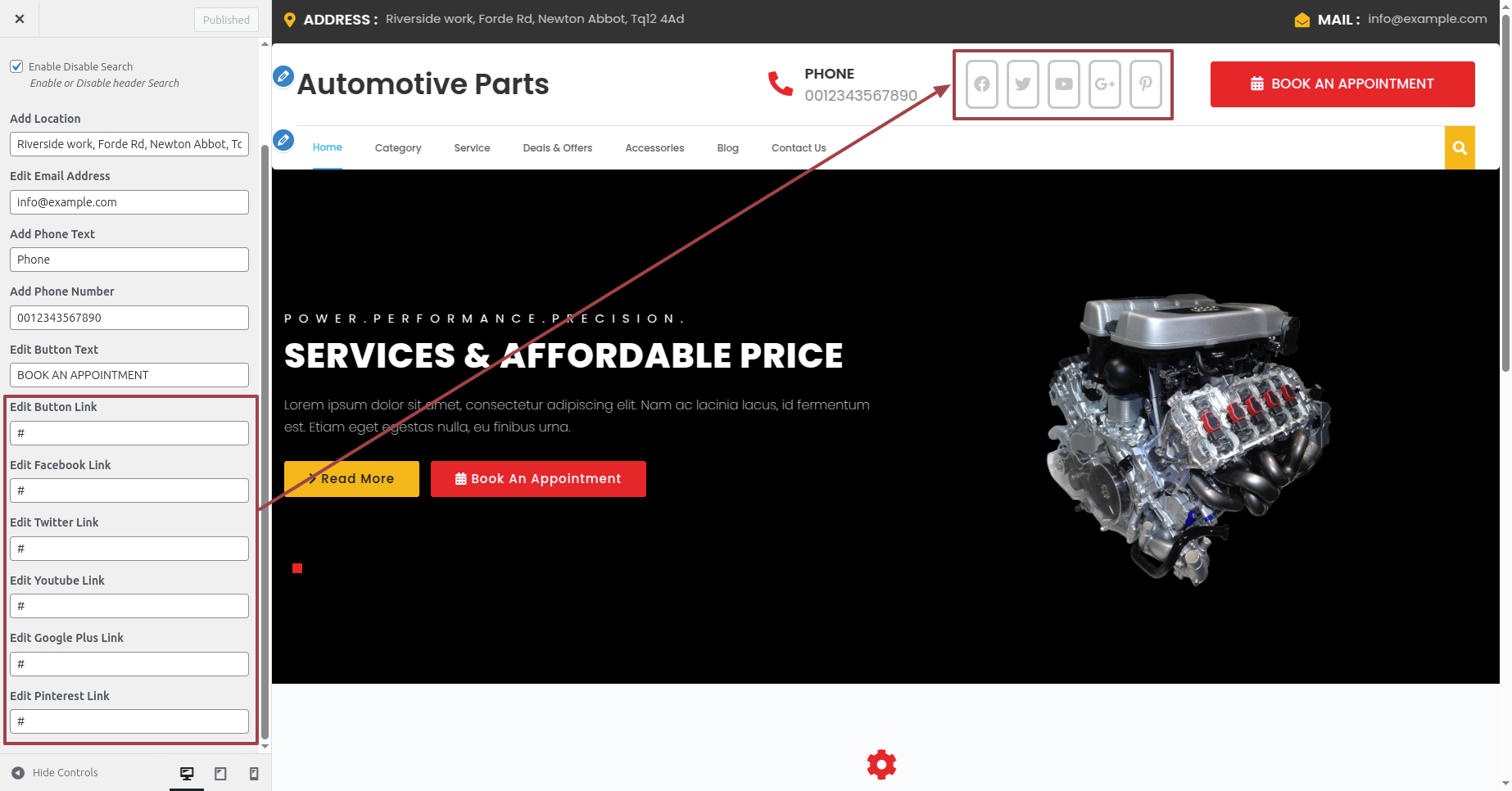
This is the manner in which that Header Section will display it.

Section on Developing The Main Slider Options
Regarding Main Slider Options Configuration.
To modify your theme options open"Appearance" By going to "Customize" Head over to "Automotive Parts Theme options" Proceed to " Main Slider Options" .
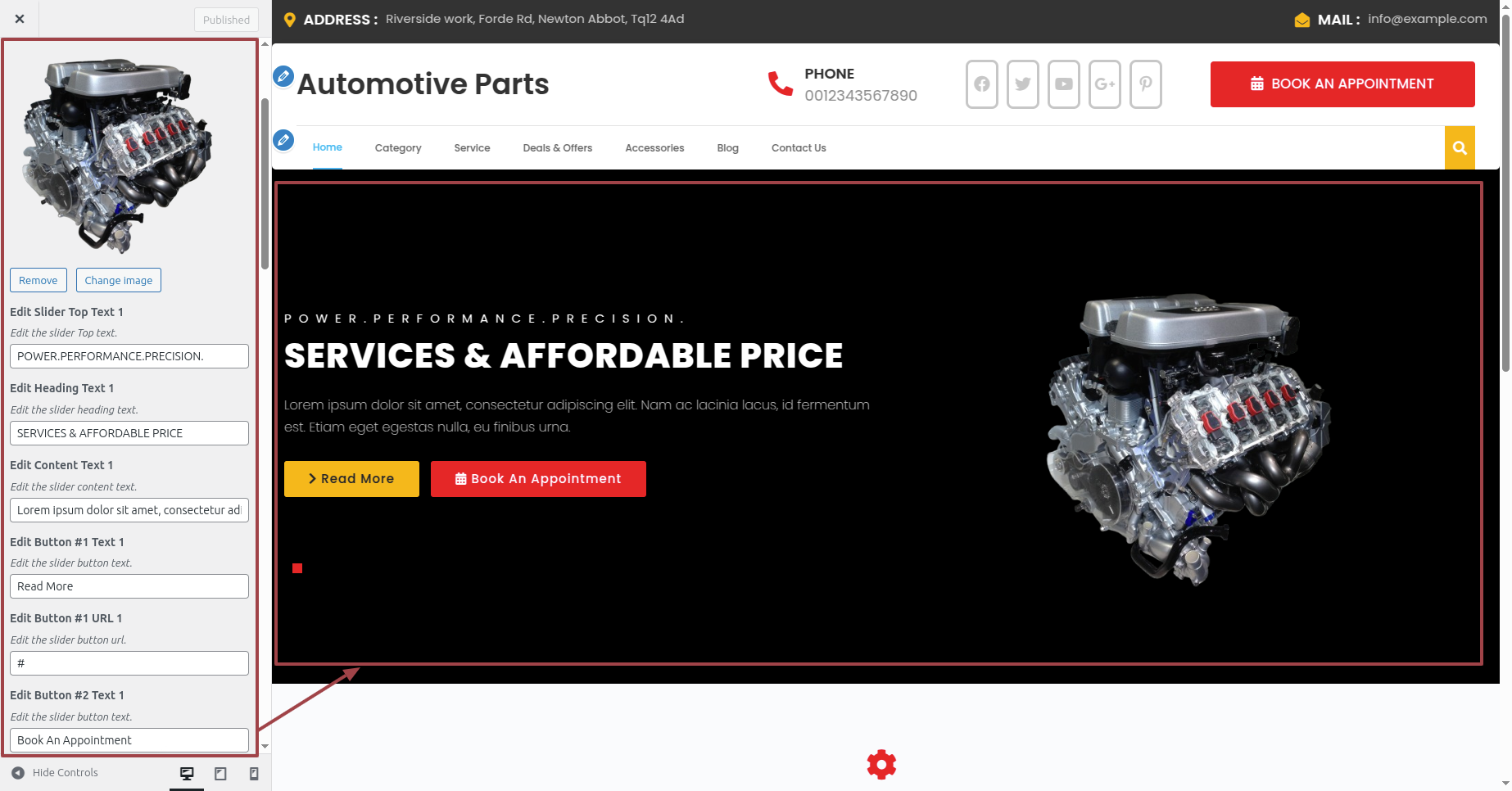
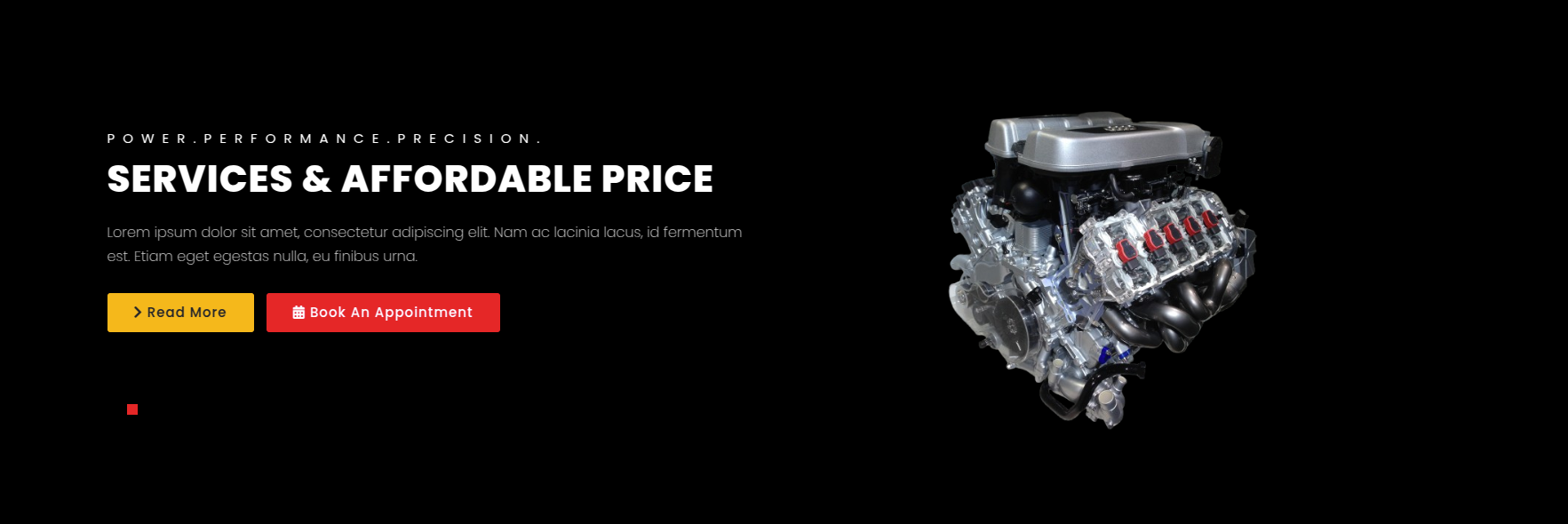
This is the manner in which that Main Slider Options will display it.
Section on Developing The Our Services Options
Regarding Our Services Options Configuration.
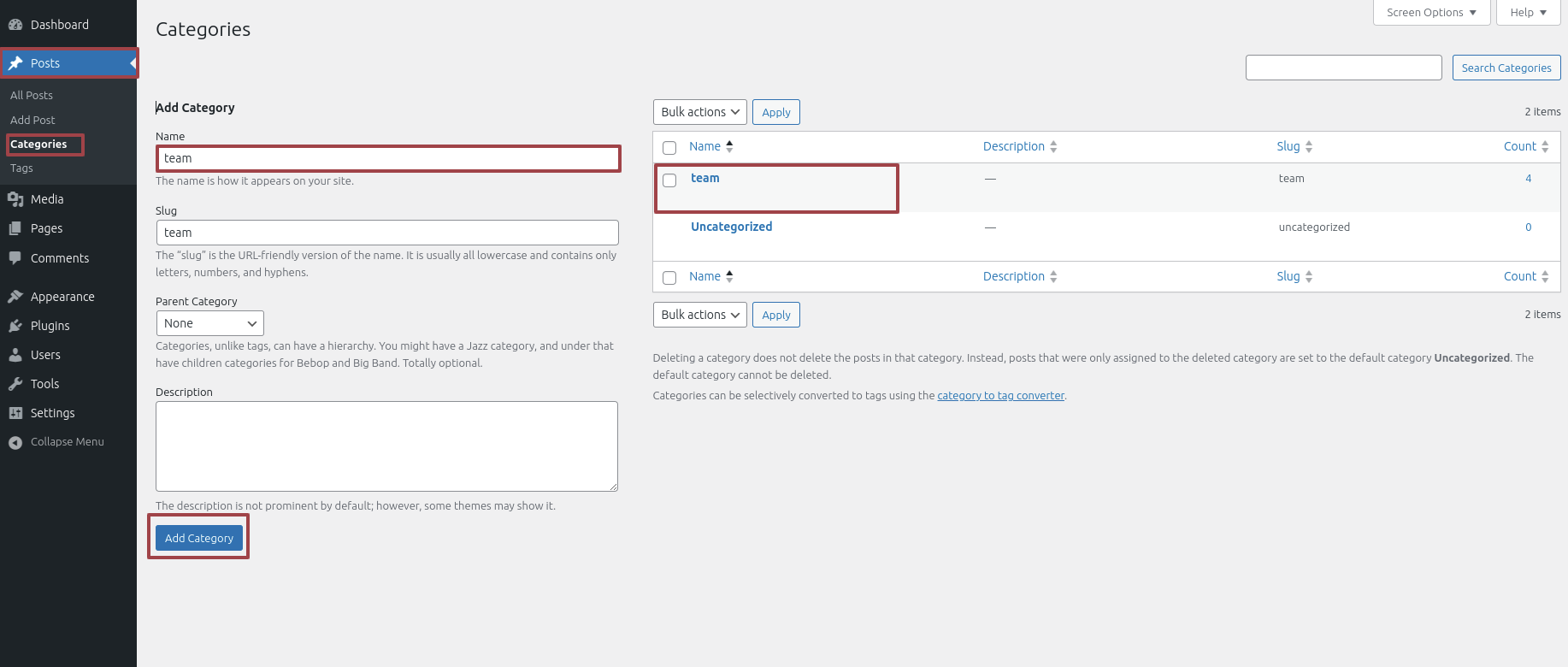
To modify your theme options open"Dashboard" By going to "Posts" Proceed to "Categories" .
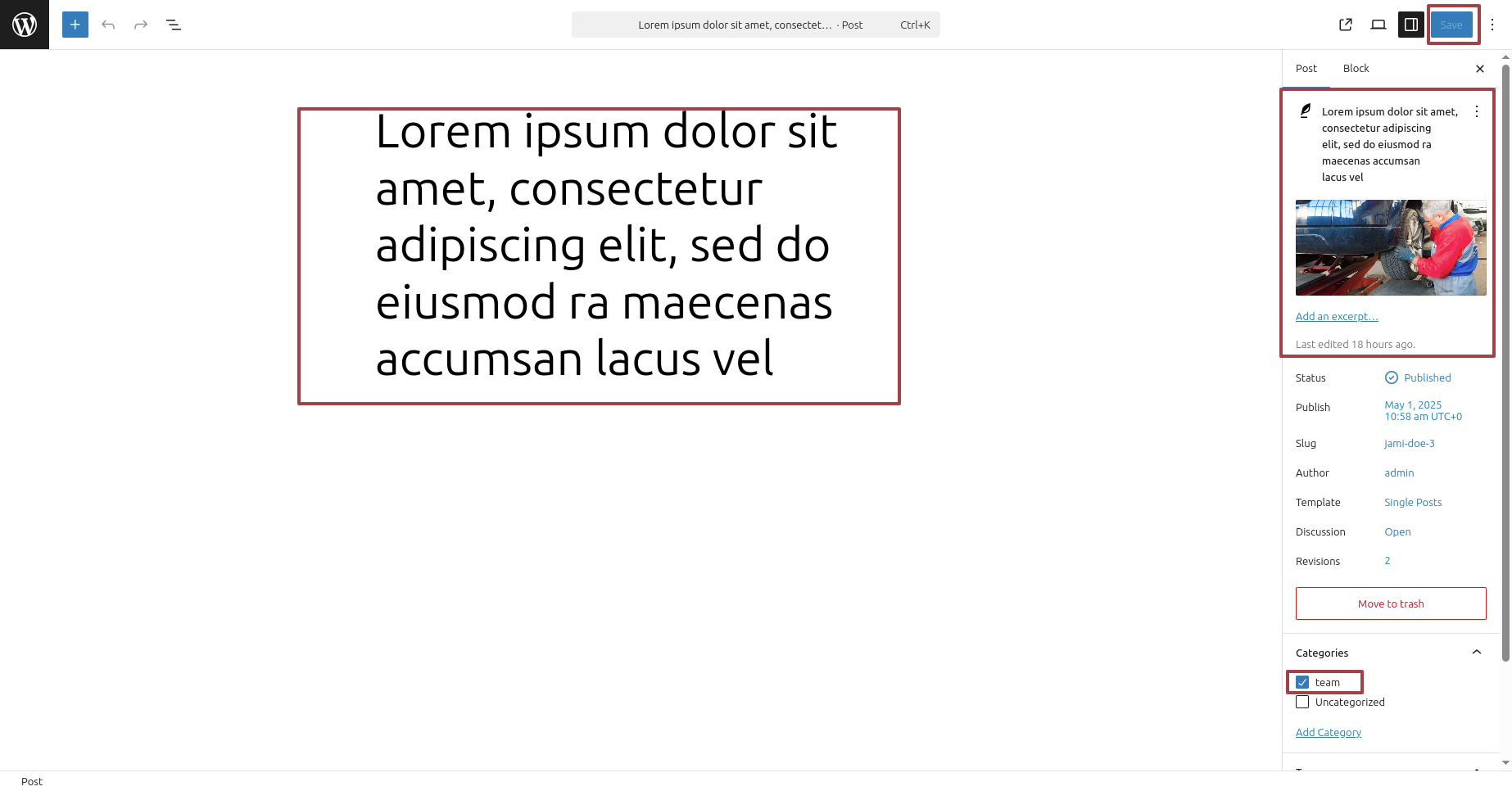
To modify your theme options open"Dashboard" By going to "Posts" Proceed to "Add New" .
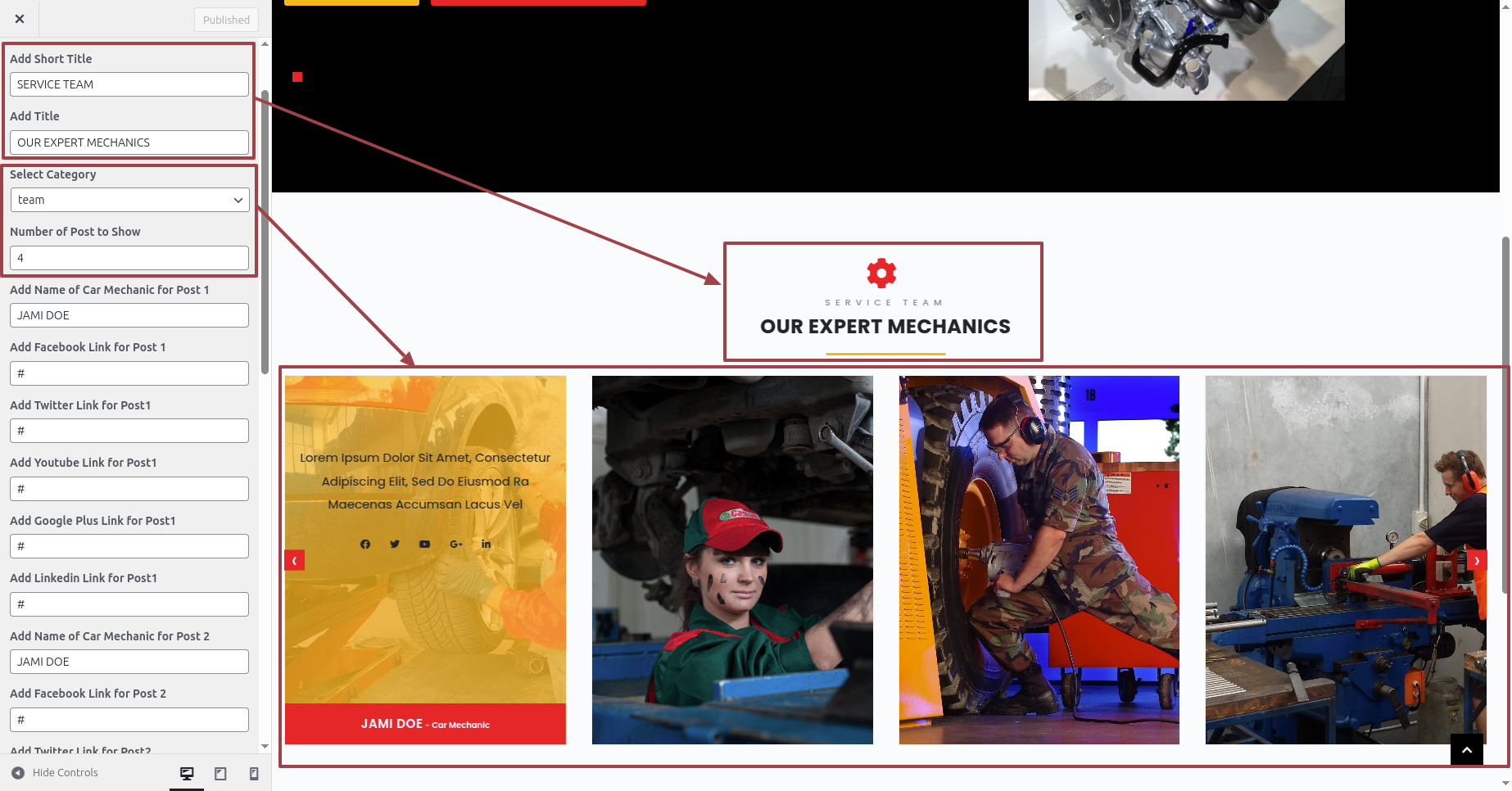
To modify your theme options open"Appearance" By going to "Customize" Head over to "Automotive Parts Theme options" Proceed to "Our Services Section" .
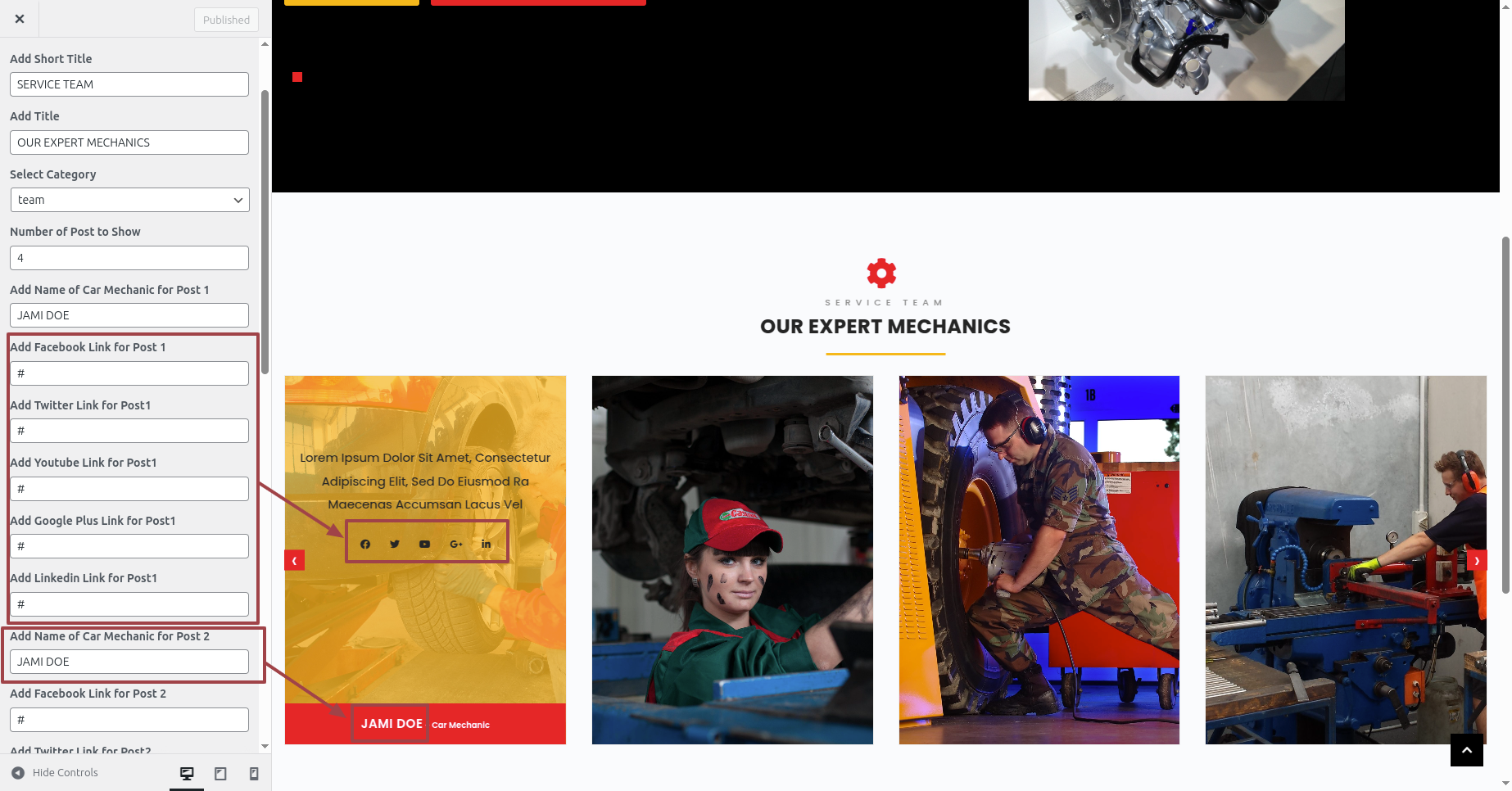
This is the manner in which that Our Services Options will display it.
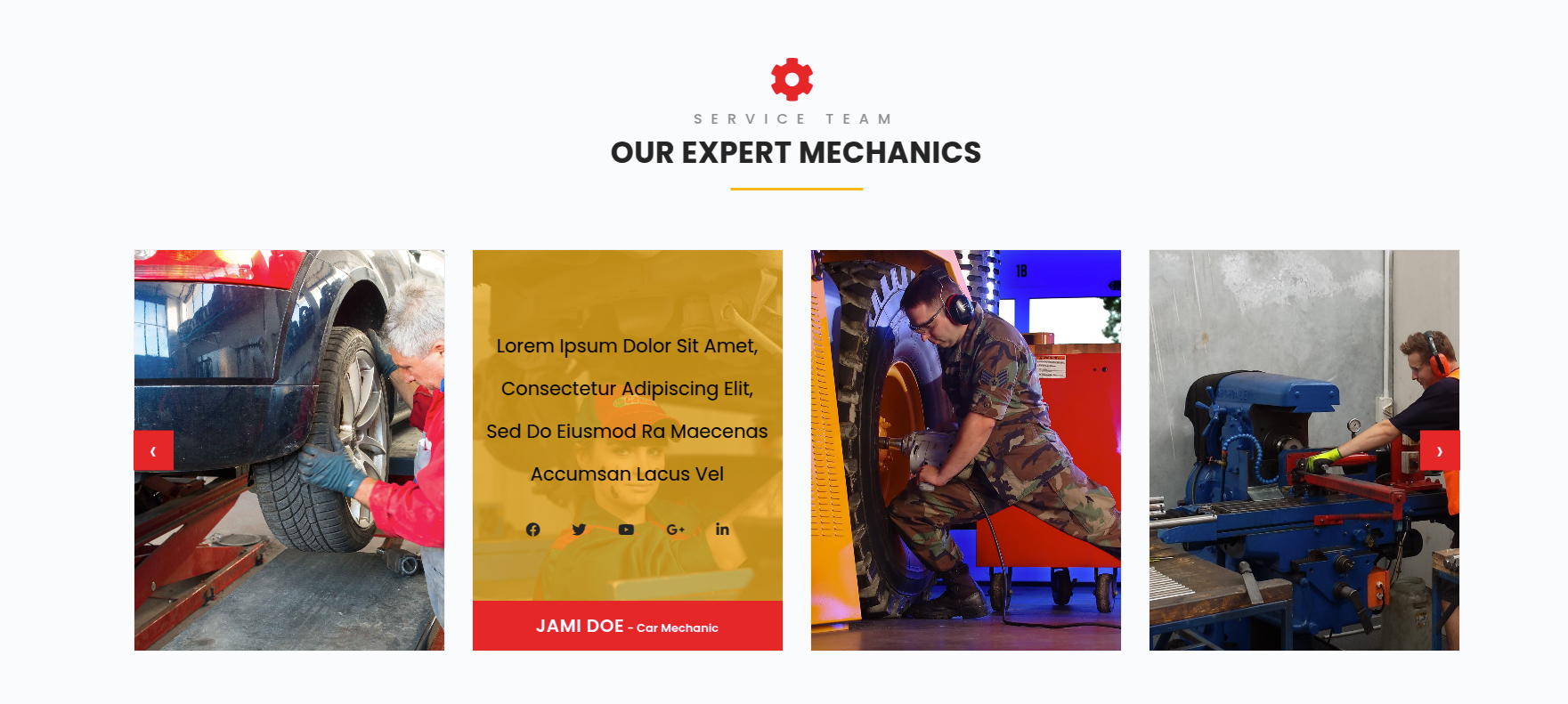
Section on Developing The Footer Options
Regarding Footer Options Configuration.
To modify your theme options open"Appearance" By going to "Customize" Head over to "Automotive Parts Theme options" Proceed to "Footer Options" .
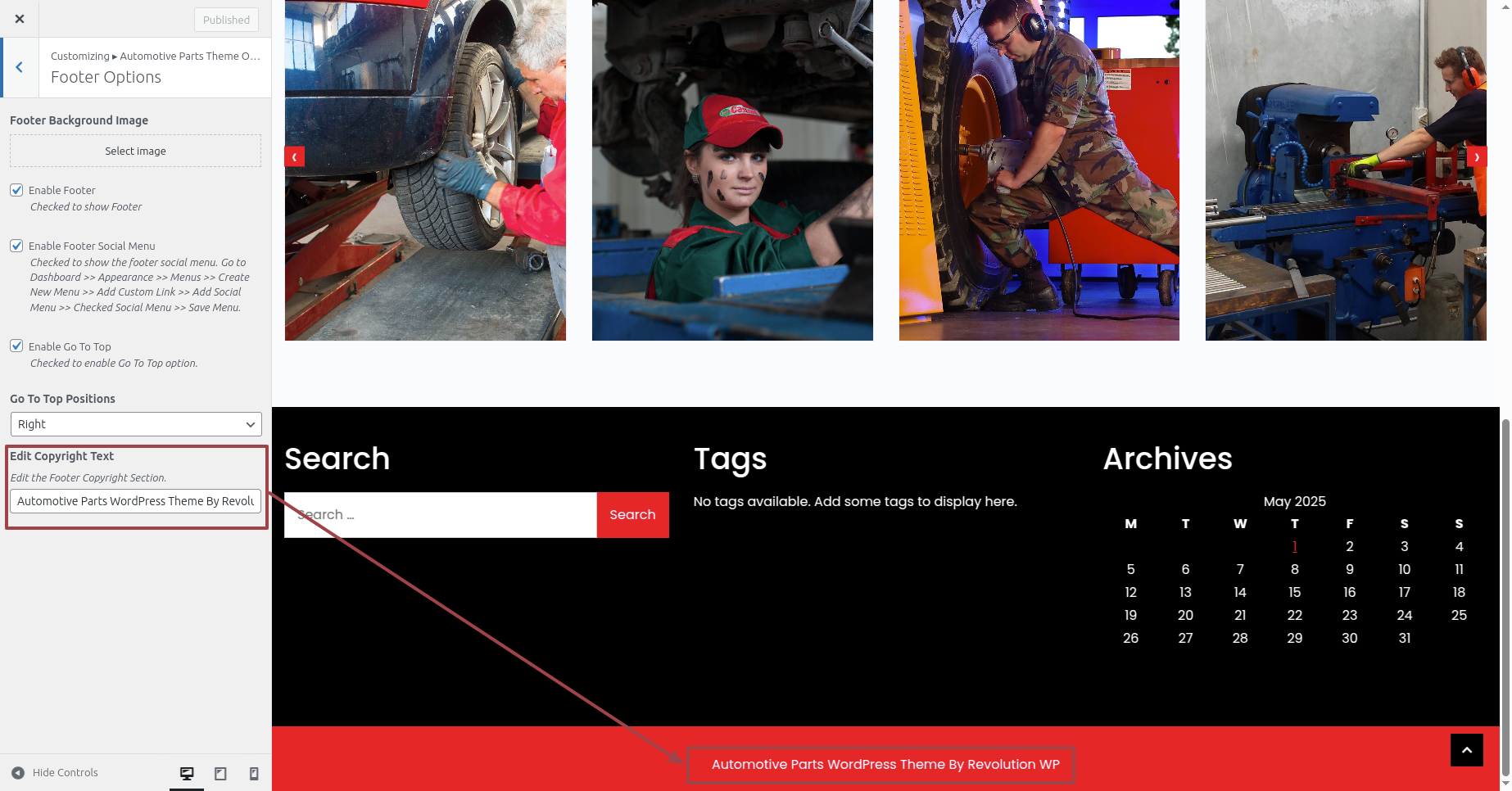
This is the manner in which that Footer Section will display it.